-
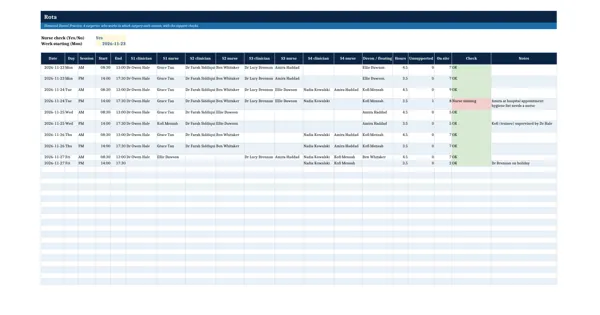 Excel workbook preview
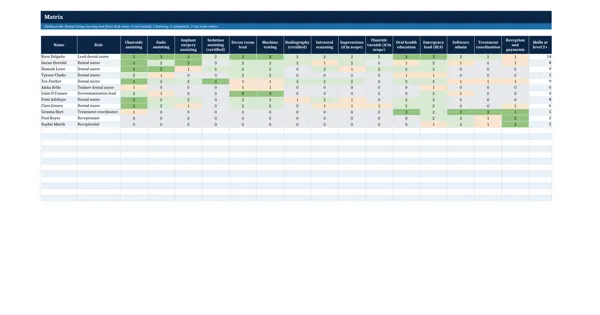
Dental Team, Roles and Training
Dental Team Rota and Surgery Allocation
3 downloads per free account, no card needed.
Who this is for
A practice manager who keeps finding a hygienist without a nurse on the day, and wants a rota that flags gaps before it is published.
What is inside
- One week of 10 sample sessions across 4 surgeries plus decontamination
- Checks calculate: surgeries without a nurse, people on site, overall status
- 'Nurse missing' and 'Fewer than 2 on site' turn red; the sample shows one
- Staff sheet compares rostered sessions and hours with each contract
- Switch to turn off the nurse check where your rules allow a clinician alone
- GDC standards 6.2.2 and 6.6.6 explained on the How to use sheet
How to use it: Enter the Monday date, type names exactly as on the Staff sheet and clear every red check before publishing the rota.
Files & formats
- XLSXdental-team-rota-and-surgery-allocation.xlsx15 KB
Opens in Microsoft Word or Excel, Google Docs or Sheets and LibreOffice. Delivered instantly from your browser.
Free downloads & full access
Every account gets 3 free downloads. Re-downloading a template you already have does not count. This template on its own is $17.99, and buying it keeps your free downloads for something else. Full access is a one-time $249 for all 300 templates, for life.
Bought with a different email? Open your account and enter your order number.
Licence
Use and adapt the document inside your own organisation or for your own clients. Do not resell or republish the templates themselves. These templates are original working documents built on the public guidance named here. They are not legal or contractual advice and are not endorsed by its publisher. Guidance changes: check the current official text.